Ask Your Agent About Its Own Features
A hands-on walkthrough of using DocsGuide — the built-in custom agent that answers questions about SRE Agent features, configuration, and concepts using official documentation. Learn more → DocsGuide. Time: ~5 minutes.
Prerequisites
- An Azure SRE Agent in Running state
- Access to the agent's chat interface
- Outbound network access to
sre.azure.com(DocsGuide fetches documentation pages at runtime)
Step 1: Open the agent chat
- Navigate to sre.azure.com and select your agent
- The chat interface opens with a "New thread" view and an input field
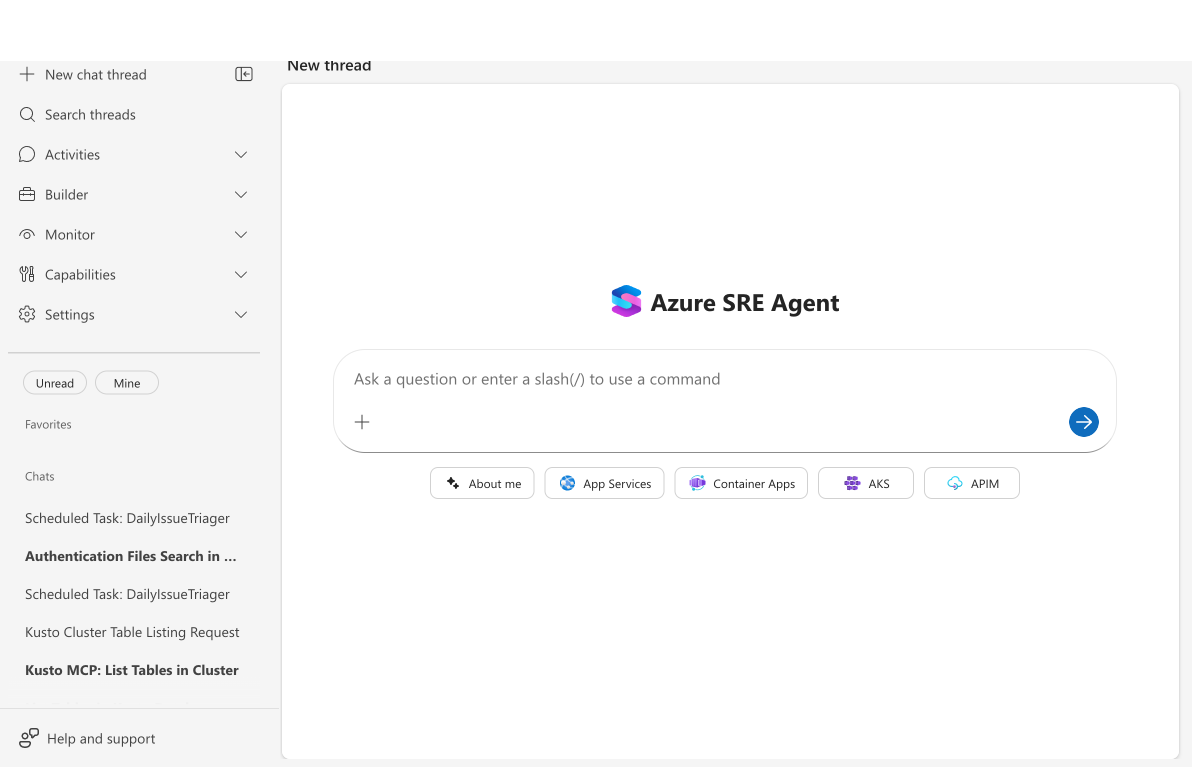
Checkpoint: The chat input is visible and shows the placeholder "Ask a question or enter a slash(/) to use a command."
Step 2: Ask a concept question
Type a question about an SRE Agent concept:
What are run modes?
Wait approximately 10 seconds for the response.
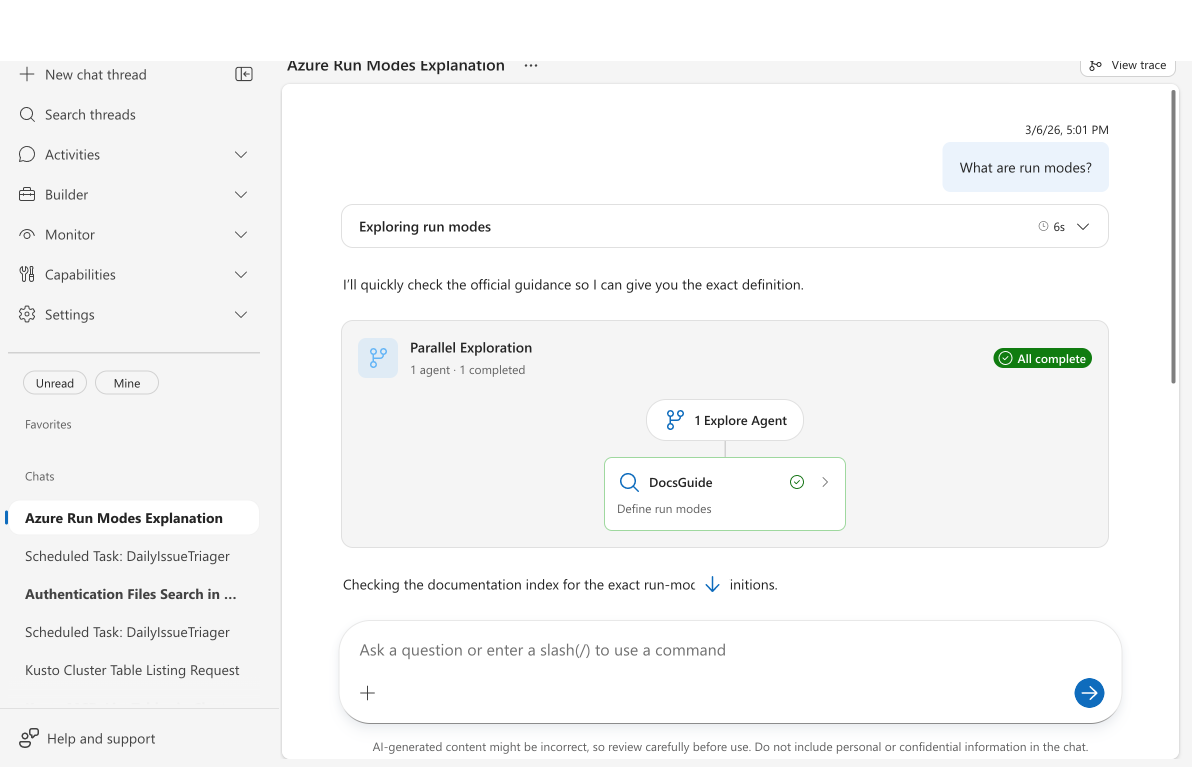
Checkpoint: You see:
- A "Parallel Exploration" card with "1 agent · 1 completed"
- A nested DocsGuide custom agent card with a search icon and green checkmark
- The DocsGuide card shows its task (e.g., "Define run modes")
- Below the card, the agent's synthesized answer about run modes
Step 3: Ask a setup question
Try a setup-oriented question:
How do I connect PagerDuty to my agent?
Checkpoint: The response includes specific setup steps — navigate to Incidents → Connect an incident platform, enter an API key, enable the quickstart response plan — sourced from the official PagerDuty tutorial documentation.
Step 4: Ask a feature question
Ask about a specific capability:
How do scheduled tasks work?
Checkpoint: The response explains scheduled task creation, recurrence options, and how they connect to custom agents — drawn from the scheduled tasks capability and tutorial pages.
Step 5: Try "Can I" questions
These question patterns also trigger DocsGuide:
Can I use Python to extend my agent?
Checkpoint: DocsGuide returns information about Python tools, including how to create and deploy custom Python tools, sourced from the Python code execution documentation.
Tips for effective questions
| Question type | Good example | Less effective example |
|---|---|---|
| Specific feature | "How do I set up incident response plans?" | "Tell me about the agent" |
| Setup steps | "How do I connect my Kusto connector?" | "Set up everything" |
| Concept clarification | "What is the difference between skills and knowledge?" | "Explain the agent" |
| Capability check | "Can I send notifications via Teams?" | "What can you do?" |
What you learned
- DocsGuide activates automatically when you ask documentation questions — no setup needed
- Three question patterns work best: "How do I...", "Can I...", "What is..."
- Answers are sourced from official documentation at sre.azure.com, not training data
- DocsGuide appears as a custom agent task card showing which documentation pages it consulted
Related
| Resource | What you'll learn |
|---|---|
| DocsGuide → | How DocsGuide works and what makes it different |
| Custom agents → | Built-in vs custom agents |
| Agent Playground → | Test capabilities interactively |