Add a Private Marketplace
A private GitHub repository registered as a marketplace source, with a plugin installed from it and its skills available in your agent.
Prerequisites
- An Azure SRE Agent in Running state
- SRE Agent Author or Administrator role on the agent. See User roles.
- The Plugins page visible under Builder in the sidebar
- A private GitHub repository containing a
marketplace.jsonmanifest with at least one plugin - GitHub credentials with read access to the repository (OAuth, PAT, or GitHub App for GHE)
Step 1: Open the Add Marketplace dialog
In the SRE Agent portal, navigate to Builder > Plugins. If no marketplaces are registered yet, select Add marketplace in the toolbar. If marketplaces already exist, select Manage marketplaces, then select Add marketplace.

Step 2: Enter the private repository URL
In the Marketplace URL or owner/repo field, enter your private repo (e.g., myorg/internal-skills or https://github.com/myorg/internal-skills).
The auth section appears below, showing whether your agent's GitHub identity can access the repo.

Step 3: Authenticate
If your agent's GitHub OAuth identity has access to the repo (same org or authorized OAuth App), you're ready. Skip to Step 4.
If the repo is in an org your agent can't reach, expand the Advanced section and enter a personal access token with read access to the repository.
For GitHub Enterprise (*.ghe.com) hosts, PATs are not accepted. Use a GitHub App instead (see below).

Create your PAT at github.com/settings/personal-access-tokens with Contents: Read scope on the target repository.
For GitHub Enterprise (*.ghe.com), the dialog shows a GitHub App registration form instead:
- Client ID: the App's client ID
- Private key URI (Key Vault): Azure Key Vault key URI for the App's private key (e.g.,
https://myvault.vault.azure.net/keys/my-ghe-app-key). The key must have the Sign operation enabled. - Key Vault identity: the managed identity with Key Vault Crypto User role on the key
Select Configure GitHub App to register the connection. Wait until the dialog shows Connected via GitHub App before proceeding.
Step 4: Add the marketplace
Select Add. The dialog dismisses and a toast confirms the marketplace is being added. The clone runs in the background — a status banner appears on the Plugins page while it's in flight, and a success toast announces when the marketplace is ready. Plugins from your private repo then appear in the grid alongside any public marketplace plugins.

Step 5: Install a plugin
Select a plugin card to open its detail page. Review the skills it contains, then select Install.
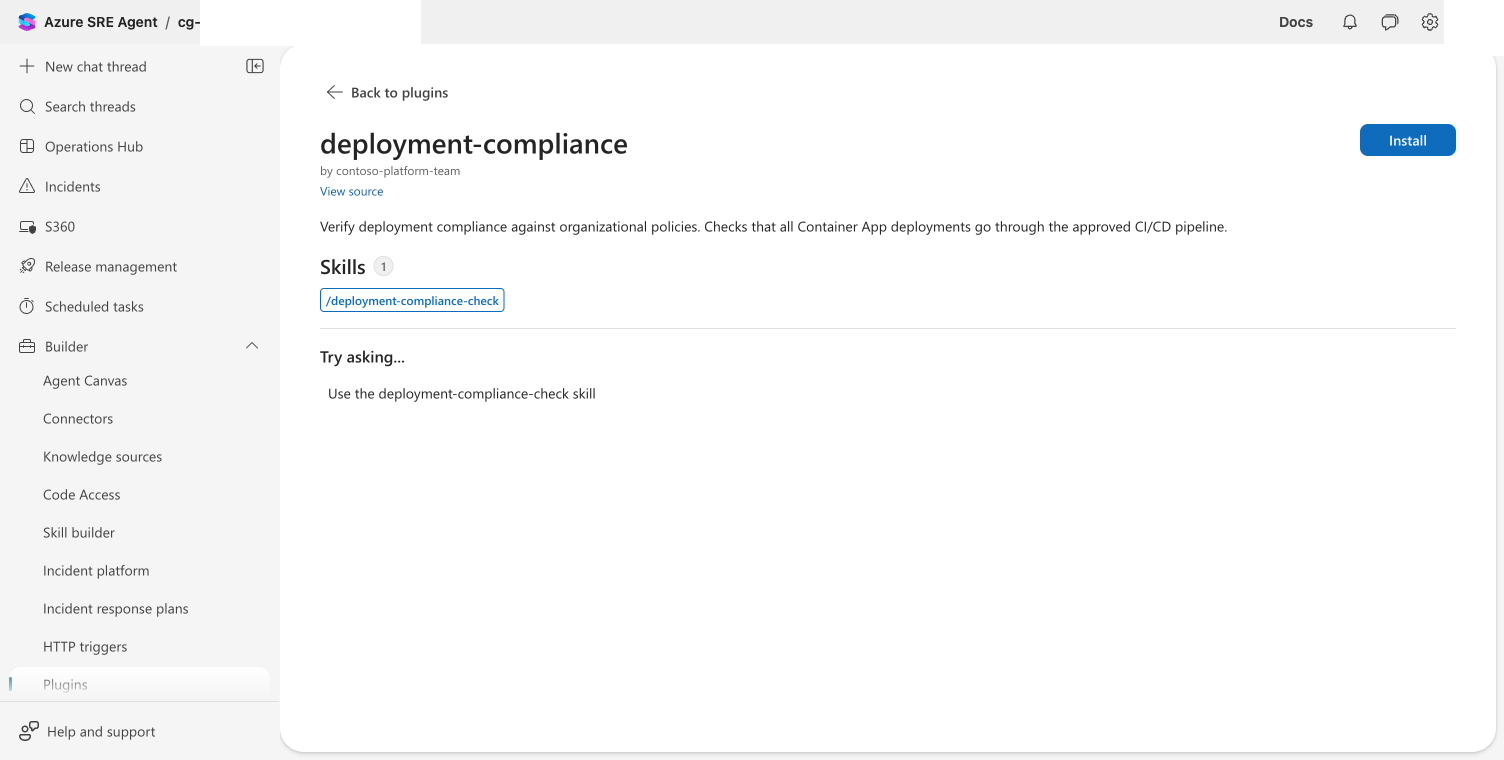
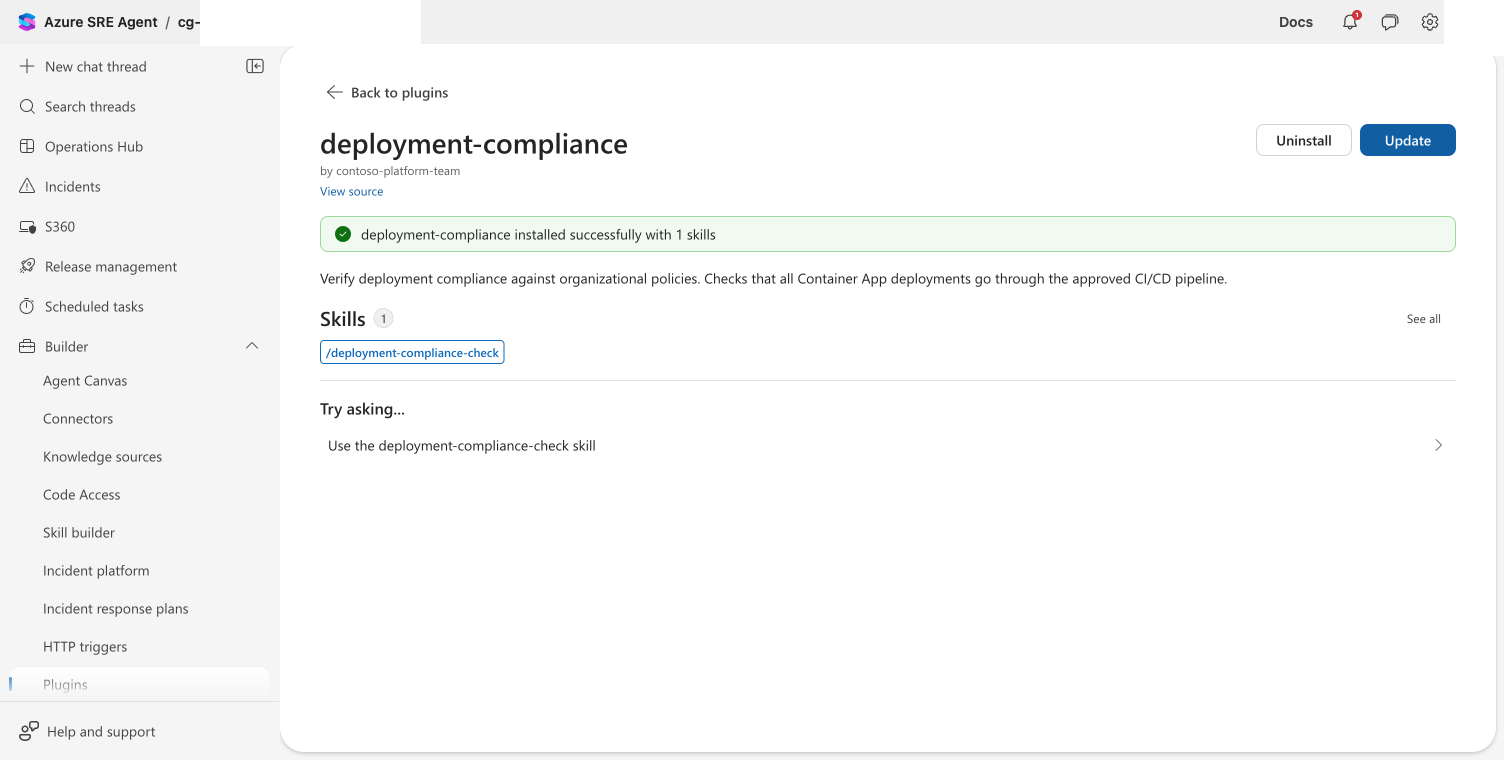
Checkpoint: The plugin shows "installed successfully with N skills." The skill is available in Builder > Skill builder.
The credential you configured in Step 2 is shared across all plugin installs from this marketplace. Any user with the Author or Administrator role on the agent can install, even without personal GitHub access to the repo. See Shared credential boundary for details and how to restrict access.
If the clone fails, verify your credentials have read access to the repository. For PATs, check the Contents: Read scope. For OAuth, ensure the OAuth App is authorized on the repo's organization.
Using the REST API
You can add a private marketplace and manage installations via the REST API:
# Add a private marketplace with PAT
curl -X POST "https://<agent-endpoint>/api/v2/plugins/marketplaces" \
  -H "Authorization: Bearer $TOKEN" \
  -H "Content-Type: application/json" \
  -d '{
    "metadata": { "name": "my-private-marketplace" },
    "spec": {
      "sourceType": "github",
      "sourceUrl": "myorg/private-skills",
      "owner": { "name": "myorg" },
      "credentials": {
        "authMethod": "pat",
        "pat": "ghp_your_token_here"
      }
    }
  }'
Omit the credentials field when the agent's host-level GitHub identity already has access.
# List marketplaces
curl "https://<agent-endpoint>/api/v2/plugins/marketplaces" \
  -H "Authorization: Bearer $TOKEN"

# Remove a marketplace (keep installed plugins)
curl -X DELETE "https://<agent-endpoint>/api/v2/plugins/marketplaces/my-private-marketplace" \
  -H "Authorization: Bearer $TOKEN"

# Remove a marketplace and delete its installed plugins
curl -X DELETE "https://<agent-endpoint>/api/v2/plugins/marketplaces/my-private-marketplace?deleteInstallations=true" \
  -H "Authorization: Bearer $TOKEN"
Next steps
- Install a plugin from a public marketplace for well-known public marketplaces
- Install a plugin from a URL for standalone one-off plugins
- Plugin Marketplace for marketplace formats and authoring your own