Install a Plugin from a URL
A standalone plugin installed directly from a GitHub repository, with its skills available in your agent. No marketplace registration required.
Prerequisites
- An Azure SRE Agent in Running state
- SRE Agent Author or Administrator role on the agent. See User roles.
- The Plugins page visible under Builder in the sidebar
- A GitHub repository containing a plugin (with
plugin.jsonand askills/folder)
Step 1: Open the Install from URL dialog
In the SRE Agent portal, navigate to Builder > Plugins and select Install from URL in the toolbar.
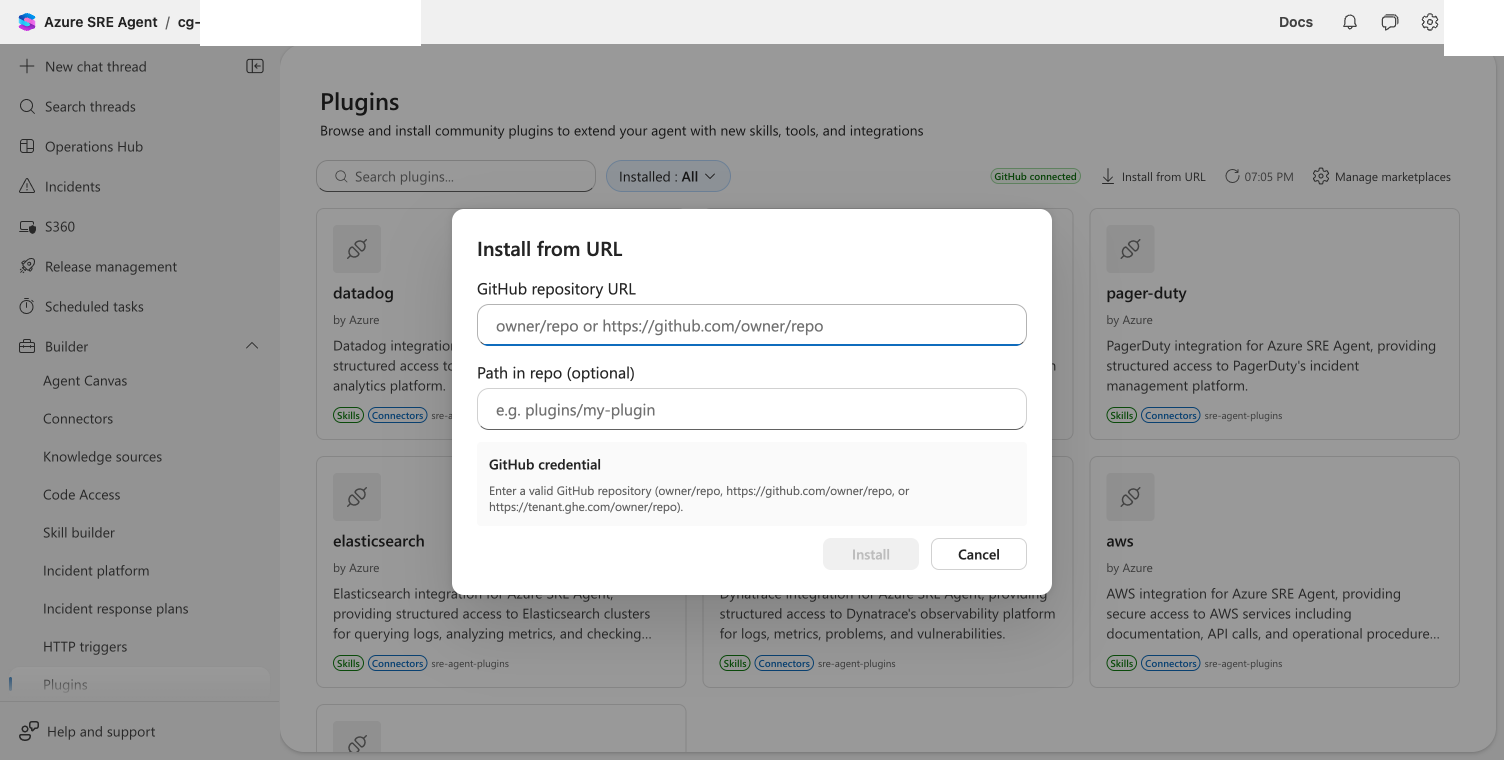
Step 2: Enter the repository URL
- In the GitHub repository URL field, enter the repo in
owner/repoformat or as a full URL (e.g.,dm-chelupati/sre-agent-test-plugin) - If the plugin is in a subfolder, specify the path in the Path in repo field
- The auth section shows your GitHub connection status. For private repos, expand Advanced to enter a personal access token.
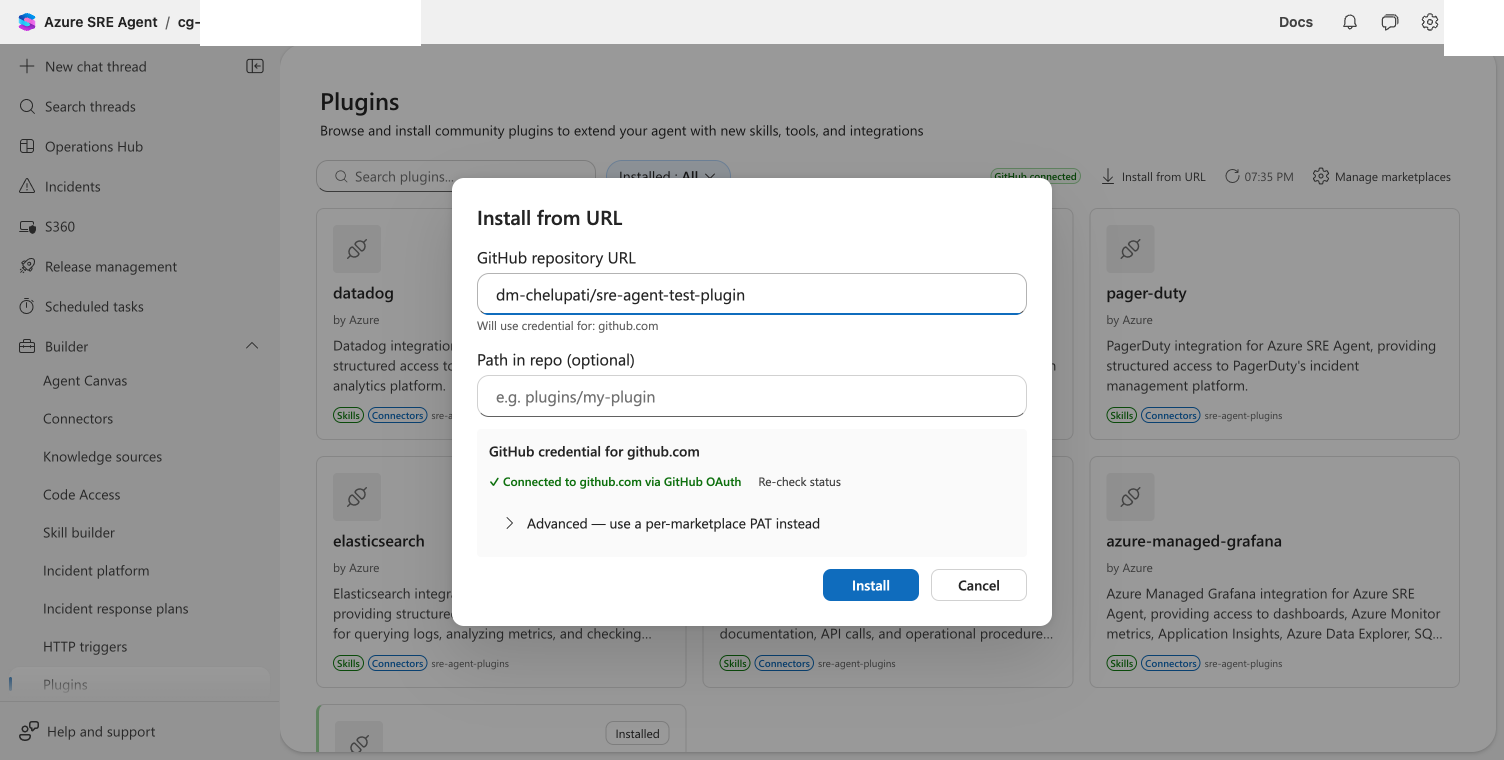
Step 3: Install
Select Install. The agent clones the repository, reads the plugin definition, and imports the skills.

Checkpoint: The dialog shows "Plugin installed from URL successfully with N skills."
Step 4: Verify in Skill builder
Close the dialog and navigate to Builder > Skill builder. The imported skill appears in the list, ready for use.

The plugin also appears in the Plugins grid with a Standalone badge, indicating it was installed directly rather than from a marketplace.
Credentials provided during a direct URL install (PAT or OAuth) are stored with the installation and reused for future updates. The same shared credential boundary applies as with marketplaces: any user with the Author or Administrator role on the agent can update the plugin using the stored credential. If you change the source repository, stored credentials are cleared and must be provided again.
Using the REST API
You can install a plugin directly from a URL via the REST API:
curl -X POST "https://<agent-endpoint>/api/v2/plugins/install-direct" \
  -H "Authorization: Bearer $TOKEN" \
  -H "Content-Type: application/json" \
  -d '{
    "sourceUrl": "myorg/my-plugin",
    "pathInRepo": ""
  }'
For private repos, add credentials:
curl -X POST "https://<agent-endpoint>/api/v2/plugins/install-direct" \
  -H "Authorization: Bearer $TOKEN" \
  -H "Content-Type: application/json" \
  -d '{
    "sourceUrl": "myorg/my-private-plugin",
    "credentials": {
      "authMethod": "pat",
      "pat": "ghp_your_token_here"
    }
  }'
Next steps
- Install a plugin from a public marketplace for browsing curated plugin catalogs
- Add a private marketplace for private repo plugins shared across your team
- Plugin Marketplace for marketplace formats and authoring your own