Set Up GitHub Connector (OAuth or PAT)
Authenticate your agent to github.com using OAuth or a Personal Access Token. GitHub repository authentication lives on the Builder -> Code Access page — it is not offered in the Builder -> Connectors add-connector wizard.
An authenticated GitHub connection so your agent can search code, manage issues, pull requests, and trigger workflows — depending on the permissions you grant. Learn more → GitHub Connector.
Prerequisites
- An active agent in Running state
- Access to
github.comrepositories you want the agent to use - Agent role: Administrator or Standard User
Step 1: Open GitHub authentication
For an existing agent, navigate to Builder -> Code Access and click Add repository. The Add repositories dialog opens on the Connection step.
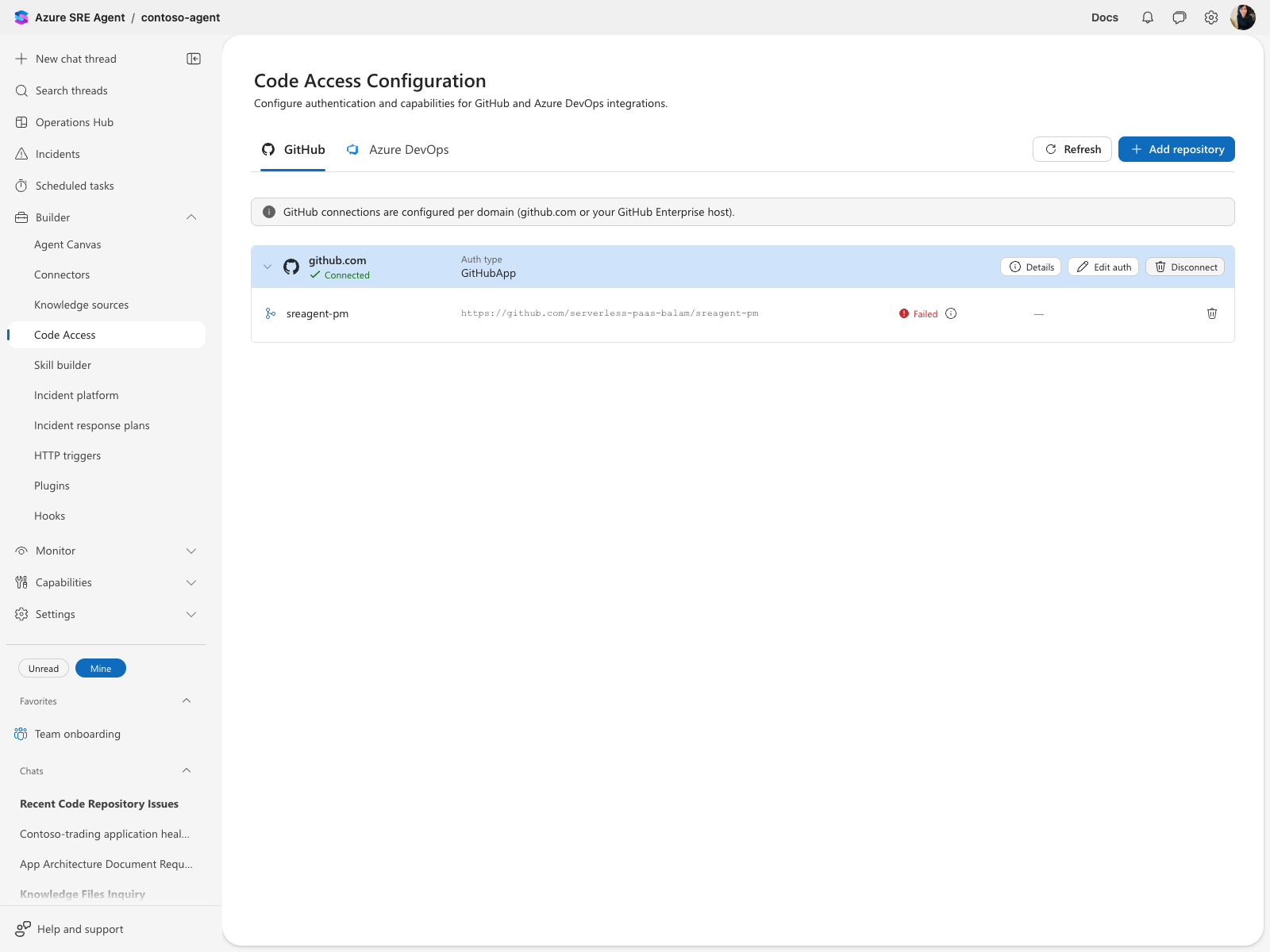
The Builder -> Connectors add-connector wizard does not list a GitHub OAuth card — repository authentication was intentionally moved to Code Access. The GitHub MCP server card you may see in that wizard is a different integration (the remote MCP endpoint at api.githubcopilot.com/mcp/) and accepts only a bearer token / PAT, not OAuth.
Step 2: Choose authentication
- Select GitHub as the platform.
- Enter the full URL of a repository you can access.
- Choose one authentication method:
| Method | When to use |
|---|---|
| OAuth | Interactive setup for user-driven access. Preferred where available — no token to rotate. |
| PAT | Service account or non-interactive setup. Note that EMU / internally managed GitHub accounts cap PAT lifetime (often days), so OAuth avoids frequent rotation. |
| BYO GitHub App | Enterprise governance, or any *.ghe.com host (where it is the only supported method). |
The OAuth choice appears only when a GitHub OAuth application is configured for your environment, and never for GitHub Enterprise Cloud (*.ghe.com) hosts, which require the BYO GitHub App method. If you see only PAT and BYO GitHub App, contact your administrator.
OAuth flow
- Select OAuth.
- Click Sign in to GitHub.
- Complete the GitHub popup authorization.
- Confirm status shows Connected.
PAT flow
- Select PAT.
- Paste a GitHub token with required scopes.
- Click Connect.
- Confirm status shows Connected.
Step 3: Add repositories and save
- Click Next to open the Add repositories step.
- Select the repositories to add. You can add multiple rows.
- Click Save.
The repositories now appear on the Code Access page under their GitHub connection.
Step 4: Confirm runtime operations
After saving the repositories, test with a chat prompt such as:
List recent issues from owner/repo and summarize the top 3 risks.
If your environment enables PR actions, you can also test a PR-related prompt.
Use a direct verification prompt as a final checkpoint:
Get me recent issues from owner/repo.
Required permissions by operation
| Operation | OAuth/PAT minimum |
|---|---|
| Read repository metadata/content | repo for private repos (public_repo for public-only) |
| List or create issues | issue-capable repo access |
| Pull request operations | PR-capable repo access |
Troubleshooting
| Symptom | Likely cause | Fix |
|---|---|---|
| GitHub connection shows disconnected | Token expired or revoked | Re-authenticate OAuth or rotate PAT |
| Issue reads work, PR actions fail | Missing PR permission | Grant PR permission and retry |
| Connector cannot access private repos | Token scope too narrow | Use repo scope for private repos |
| Popup does not open | Browser popup blocked | Allow popups for the portal domain |
Related
| Resource | What you'll learn |
|---|---|
| GitHub Connector | Path selection and auth matrix |
| Set Up GitHub BYO App Connector | App-based auth for enterprise governance |
| Connect Source Code | Code Access path for repository indexing |
| Set Up MCP Connector | GitHub MCP path |
| Connect GitHub Enterprise Cloud | BYO App path for *.ghe.com |