Model Provider Selection
- Choose between Azure OpenAI (GPT-5 family) and Anthropic (Claude family) as your agent's AI provider
- Default provider depends on region: Anthropic in East US 2 and Australia East, Azure OpenAI in Sweden Central (EU data residency)
- Change models anytime in Settings → Basics — no downtime, takes effect on the next conversation
How to change your model provider
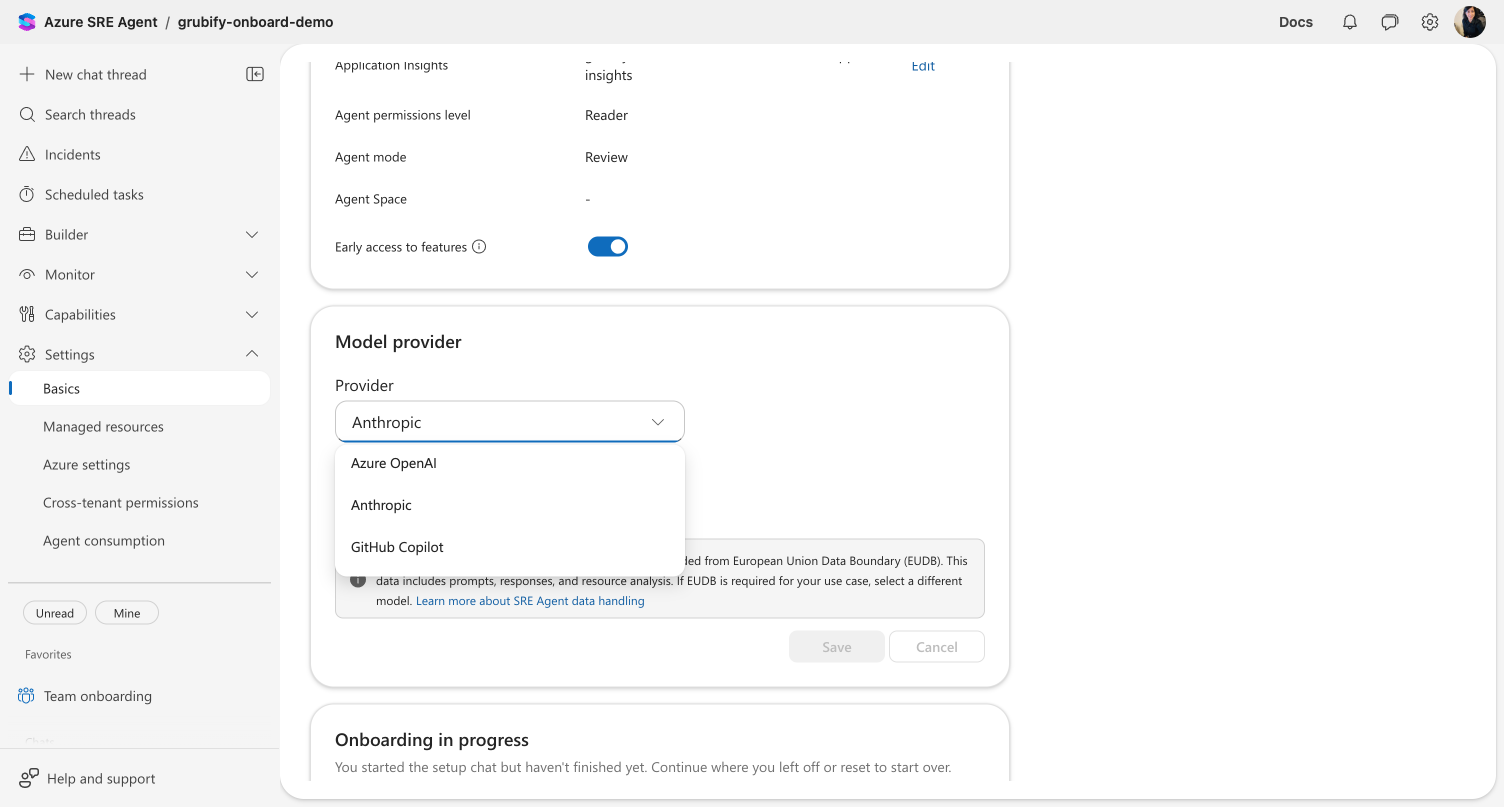
- Go to Settings → Basics in the agent portal.
- Scroll to the Model provider section.
- Select a provider from the Provider dropdown.
- Select a specific model from the Model dropdown, or leave it as Automatic to let the agent choose the best model for each task.
- Click Save.
The change takes effect immediately — your next conversation uses the new model. No restart required.
Pricing
Different models have different AAU rates. See Pricing and billing → AAU rates by model for the current rates per token type.
Data residency
Organizations with EU data residency requirements should select Azure OpenAI — Anthropic is excluded from EU Data Boundary (EUDB) commitments.
For agents deployed in EU Data Boundary (EUDB) regions, the model picker indicates which providers are covered:
| Provider | EUDB status |
|---|---|
| Azure OpenAI | Covered by EUDB commitments |
| Anthropic | Excluded from EUDB |
If EU data residency is a requirement for your organization, select Azure OpenAI.
What makes this different
Flexible model routing — Your agent automatically routes different task types (reasoning, code generation, quick responses) to the appropriate model within your selected provider. You choose the provider; the agent optimizes model usage per task.
No migration required — Changing models is a settings change. Existing knowledge, memory, connectors, and scheduled tasks all work with any model provider.
Before and after
| Aspect | Before | After |
|---|---|---|
| Model choice | Single default model | Multiple providers and models to choose from |
| Reasoning depth | Fixed token budget for all requests | Adaptive thinking — model adjusts reasoning depth per request (Opus 4.7+, Sonnet 5) |
| Switching cost | N/A | Zero — change in Settings, effective immediately |
Related capabilities
| Capability | What it adds |
|---|---|
| Agent Reasoning → | How your agent selects and uses models internally for reasoning |
| Workspace Tools → | Additional tools available with workspace mode |
| Audit Agent Actions → | Track model usage, token consumption, and LLM calls per conversation |
Get started
Go to Settings > Basics in the agent portal and select a model provider. Your next conversation uses the new model immediately.