Step 3: Your First Investigation
Ask the agent to investigate an issue using the context connected to your agent.
New customers can evaluate SRE Agent with no always-on cost for up to 30 days. Consumption charges still apply.
What you'll accomplish
- Ask the agent to investigate a live issue in chat
- Watch it use the code, logs, and Azure resources available to it
- Review a diagnosis grounded in the connected sources
Prerequisites
| Requirement | Details |
|---|---|
| Completed Steps 1–2 | Create and set up and Team onboarding |
| Recommended context | Connect code, logs, and Azure resources for richer results. You can still investigate with partial setup. |
You can still run an investigation without all data sources connected, but the results are richer with code and telemetry. Optional Azure resource access can add live resource context. See Complete Your Setup if you skipped anything.
Start the investigation
-
Click New thread in the left sidebar.
-
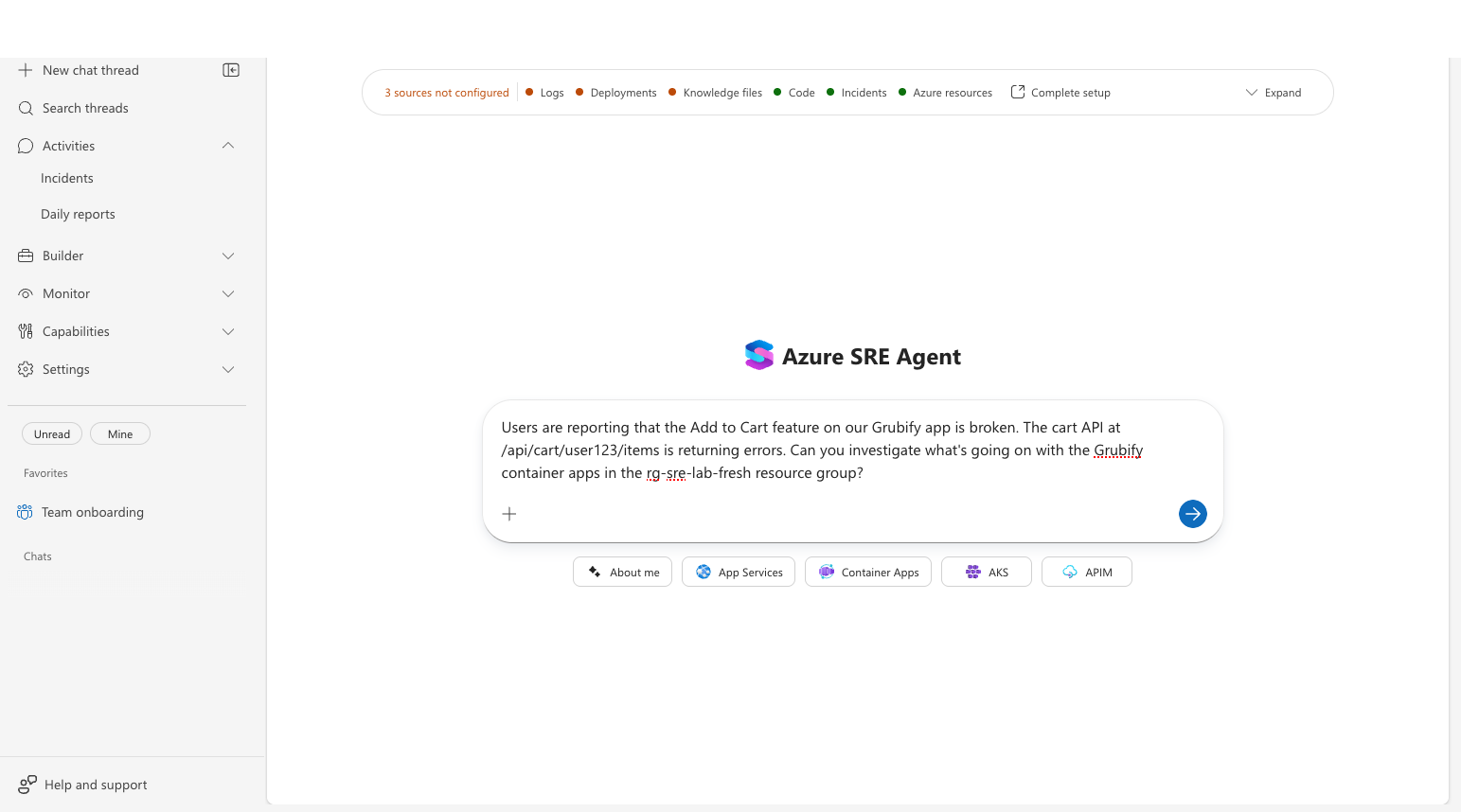
Describe the issue you want investigated. Be specific about which service or resource group is affected. For example:
"Users are reporting that the Add to Cart feature on our app is broken. The cart API is returning errors. Can you investigate the container apps in the resource group?"
-
Click Send.
Watch the agent work
The agent builds an investigation plan and executes it step by step. You can watch each phase in real time.
Phase 1 — Read context: The agent reads the knowledge files it built during team onboarding — architecture docs, team context, and runbooks — to orient itself.
Phase 2 — Explore code: If a code repository is connected, the agent reads relevant source files, searches for code paths related to the issue, and traces the call chain.
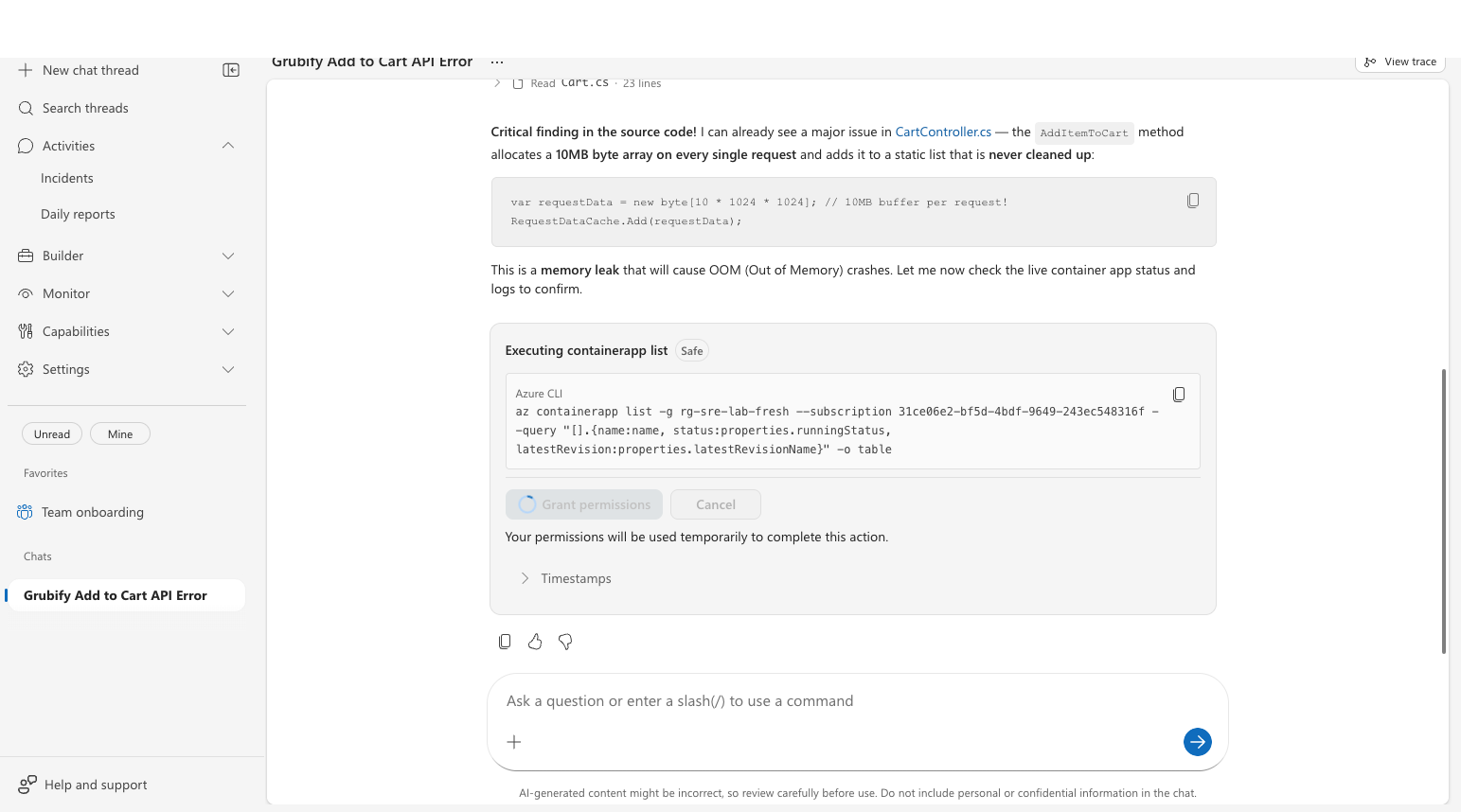
Phase 3 — Query Azure resources: If Azure resources and logging providers are connected, the agent checks the live resource state and available telemetry.
Phase 4 — Deliver the diagnosis: Based on the available evidence, the agent can present:
- Root cause — the specific code bug or configuration issue, with file and line number references.
- Evidence — code snippets, crash logs, and resource constraints that confirm the finding.
- Recommended fix — exactly what to change, with a code diff showing lines to remove or modify.
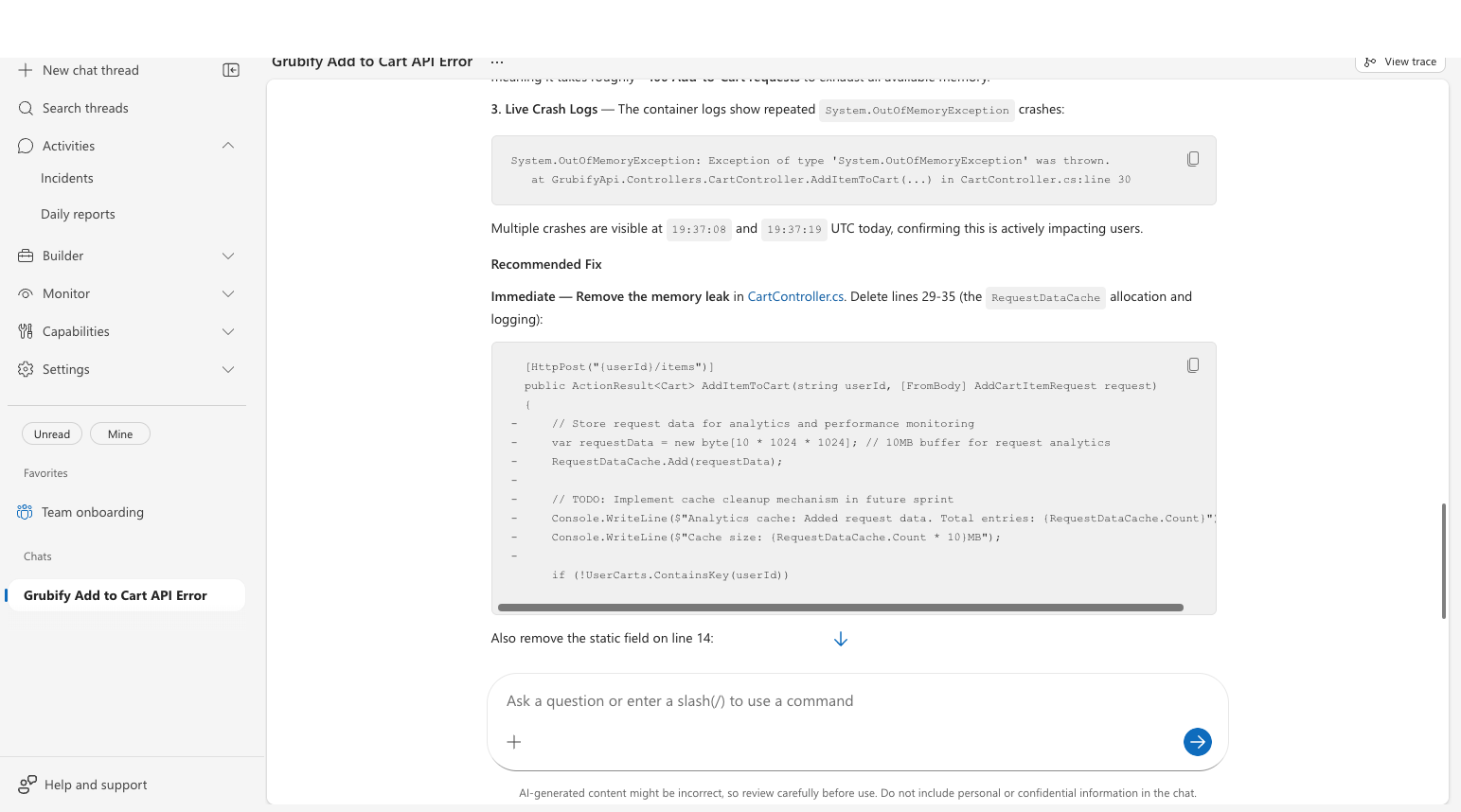
Checkpoint: The response identifies the sources used and explains the diagnosis or the next data source needed. With code, logs, and Azure resources connected, it can include code references, telemetry evidence, and a recommended fix.
Try asking about something real in your environment:
- "Check the health of the container apps in resource group X"
- "We're seeing 5xx errors on our API — can you investigate?"
- "What recent changes were deployed to our backend service?"
Related capabilities
| Capability | What it adds |
|---|---|
| Workspace Tools | How the agent reads, searches, and edits code |
| Root Cause Analysis | How the agent identifies root causes |